
HalFind-My Perfect Boy
FineTip AppsEntertainment
4.7838.00 Reviews
- Version
- 1.0.6
- Installs
- 100.00K
- Age Rating
- Mature 17+
Screenshots

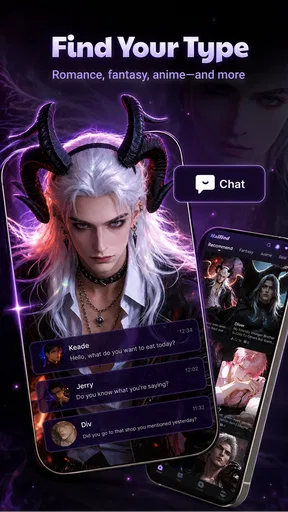
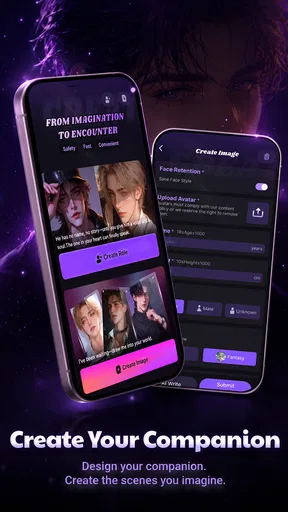
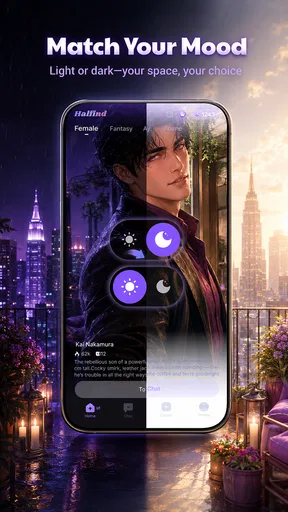
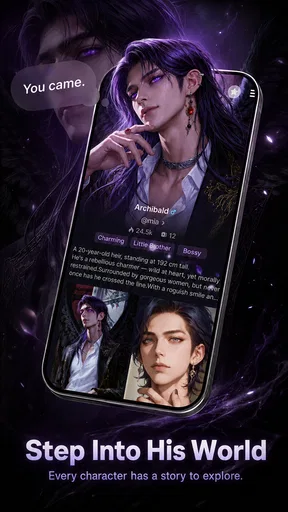
Our Review of HalFind-My Perfect Boy
 Analysis by Appyee
HalFind-My Perfect Boy is an entertainment app built around conversations with an AI companion. I approached it less like a conventional messaging service and more like an interactive storytelling space: you choose the tone of an imagined relationship, send messages, and gradually shape the kind of connection you want to explore. The appeal is immediate for anyone who enjoys character chat, romantic fiction, or a private place to experiment with conversations without worrying about awkward pauses.
My first impression was that the app makes more sense when you treat it as a creative experience rather than a substitute for a real relationship. Its focus is on text, voice, and images, so the interaction can feel more expressive than a basic chatbot. At the same time, the quality of the experience depends heavily on how clearly you guide the conversation. If you expect a fully independent personality that always understands your mood perfectly, you may become disappointed. If you enjoy directing a story and responding to an adaptable character, the concept is much easier to appreciate.
What the first session with HalFind feels like
The app comes from FineTip Apps and sits in the entertainment category. It is free to install, which makes it simple to test without committing money at the beginning. The audience is mature, with a 17+ content rating, so I would not treat it as a general family chat app or hand it to a younger user. That age guidance is important because the romantic premise and the way users may steer conversations are clearly intended for adults.
HalFind-My Perfect Boy has a 4.7 average from around 8 thousand ratings, and it has passed 100 thousand installs. Those figures suggest that the idea has found an audience, but they should not be read as a promise that every conversation will feel equally natural. AI companion apps are personal by nature. One person may enjoy a playful, fictional exchange, while another may find the same style too artificial or repetitive.
The central experience is easy to understand: you chat with an AI boy and build a relationship-shaped story through messages, voice, and images. That combination gives the app more room than a text-only role-play tool. Text is useful when you want to think carefully about what to say, voice can make a reply feel more immediate, and images can help establish a visual mood. I found that each format works best for a different purpose instead of being treated as interchangeable.
For example, I would use text to establish the personality and boundaries of the character, voice for a short emotional exchange, and images when I wanted the story to feel more like a scene than a chat log. That division is one of the more useful ways to approach the app. Sending every message in the same format can make the interaction feel flat, while switching formats with a reason gives the conversation a stronger rhythm.
Starting without overthinking the perfect character
A common mistake with this kind of app is spending too much time trying to design an ideal companion before sending anything. I recommend beginning with a simple direction instead. Decide whether you want a supportive conversation, light flirting, a fictional date, or a longer story with recurring themes. You do not need a complicated script. A sentence describing the mood and the kind of response you want is usually a better starting point than a long list of demands.
My practical advice is to give the conversation something concrete to react to. Rather than writing, “Be interesting,” try a small situation such as meeting after work, planning a quiet evening, or discussing a difficult decision. Specific circumstances give the AI something to build on and make the first replies easier to judge. This is also a useful test: if the app feels engaging when you provide a clear scene, you are probably a good fit for its storytelling style.
The app is most enjoyable when I remember that I am co-writing the interaction. I am not simply waiting for a perfect performance from the other side. I add context, correct the tone when needed, and decide which details are worth carrying forward. That extra participation may sound like work, but it is also what makes the experience feel personal rather than like a sequence of random chatbot answers.
How to reach a meaningful first exchange
For a first successful session, I would avoid starting with a vague greeting and then judging the entire app by the next reply. Begin with three pieces of information: the setting, the emotional tone, and the type of response you want. For instance, you might describe a relaxed evening at a café, ask for a warm but not overly dramatic tone, and invite the character to ask one question in return. This creates a manageable scene and gives you a clear way to continue.
Once the first response arrives, build on one detail instead of changing the subject immediately. If the character mentions music, ask about a particular song or describe what you are listening to. If the conversation becomes too intense, say so directly and reset the mood. I found that short corrections work better than silently hoping the next message will repair the tone. The goal is not to win a test of artificial intelligence; it is to shape an exchange that feels comfortable to you.
A useful workflow is to keep the first conversation short and focused. Try one scene, one emotional direction, and one medium before adding more. This helps you understand how the app responds and prevents the story from becoming confusing. After that, you can introduce voice or images with a clear purpose. For example, a voice message can mark a change from casual conversation to a more intimate moment, while an image can help define the setting you have already established in text.
This approach also answers a question many first-time users have: do you need to know exactly what you want before opening the app? No. You only need a starting point. The app becomes easier to evaluate when you give it a modest, specific task instead of expecting it to invent an entire relationship immediately.
Where voice and images add value
The inclusion of voice and images is more than a decorative detail, but it does not automatically improve every exchange. Voice is most helpful when the emotional meaning of a sentence matters. A brief spoken reply can make reassurance, teasing, or hesitation feel different from plain text. However, I would not use voice for every message. Frequent switching can interrupt the flow, and some users will prefer the control and privacy of typing.
Images are better understood as scene-building tools. They can help you imagine a place, a style, or a moment in the developing story. I would use them when a visual detail changes the conversation, not simply because an image option exists. If you are mainly looking for fast answers or practical information, this feature will probably feel unnecessary. If you enjoy creating a fictional atmosphere, it can make the app more immersive.
There is also a subtle trade-off between immersion and control. Text lets you reread, edit your thoughts, and slow down. Voice feels more spontaneous but may make the interaction feel less deliberate. Images can strengthen the fantasy while also making it easier to become attached to a particular imagined scenario. I recommend choosing the format that matches your purpose instead of assuming that the richest-looking option is always the best one.
Confusing moments and how I handled them
AI companion conversations can drift. A character may respond too enthusiastically, forget the emotional direction you intended, or interpret a playful comment more seriously than you meant. I would not regard every awkward reply as a technical failure, but it is still a real limitation of the format. The app asks you to manage the conversation more actively than a normal messaging app because there is no human partner naturally filling in the missing context.
When the tone starts moving in a direction I do not want, I use a clear reset. I state what should change, what should remain, and what kind of reply would be more useful. A message such as “keep this light and focus on the evening plan” is more effective than replying with another unrelated line. This is one of the most important first-user tips because it turns an uncomfortable moment into an opportunity to steer the story.
Another source of confusion is the difference between emotional realism and actual understanding. A convincing reply can still be generated from the immediate conversation rather than from human feelings or personal commitment. I think the healthiest way to use HalFind-My Perfect Boy is to enjoy the role-play while keeping that distinction in mind. It can offer a responsive fictional companion, but it should not replace trusted people, professional support, or real-world relationships.
The mature age rating also means I would be thoughtful about the setting in which I use it. A private entertainment app can still invite personal disclosures, and I would avoid sharing information that I would not want included in a fictional conversation. I prefer to use invented names, broad locations, and general situations. That keeps the experience creative and reduces the temptation to treat the chat like a secure diary or a confidential counselor.
Free access, purchases, and choosing your limits
The app is free, but it includes in-app purchases ranging from $4.49 to $104.99 per item. That is the part I would pay closest attention to before becoming invested in a long-running story. A free download is useful for exploring the basic experience, but the presence of paid items means I would decide in advance how much I am willing to spend and avoid making an impulse purchase simply to continue an emotional moment.
My recommendation is to use the opening experience as a compatibility check. Ask yourself whether the conversation quality, tone, and available ways to interact are enjoyable before considering any purchase. If you already know that you only want occasional casual chats, the free starting point may be enough for your needs. If you become deeply involved in a continuing story, set a firm personal budget first. The listed purchase range makes that planning especially sensible.
This is also where HalFind differs from ordinary entertainment alternatives. A romance game usually gives you a fixed cast, authored scenes, and a defined progression. A standard chatbot may be better for neutral questions, writing assistance, or broad conversation without a romantic frame. A social messaging app connects you to real people but brings timing, mutual expectations, and privacy considerations that are completely different. HalFind occupies the middle ground: it offers more improvisation than a scripted story, but less human unpredictability and reciprocity than real messaging.
Who will get the most from it
I think the app is a good match for adults who enjoy interactive fiction and want more control than a traditional romance story provides. It can also suit someone who wants to rehearse a difficult conversation in a low-pressure fictional setting, explore different communication styles, or create a small ongoing narrative during spare moments. The ability to move between text, voice, and images gives those activities more flexibility than a plain text role-play experience.
A realistic everyday use case would be a quiet evening after work. Instead of opening another short-lived social feed, you start a small fictional scene: you describe being tired, ask for a gentle conversation, and let the exchange develop for a few minutes. You might use text while deciding what you want to say, then switch to voice for a warmer reply. The value is not that the app solves your day; it gives you a controlled creative ritual that can be relaxing when used with reasonable expectations.
It is less suitable for anyone seeking a dependable human connection, factual advice, or a replacement for therapy. It is also not the right choice if you dislike directing an AI, repeating context, or accepting occasional unnatural replies. People who prefer a complete story with polished dialogue may be happier with a romance game. People who want spontaneous mutual relationships should use a real social platform instead. The app’s strength is the space between those options, not superiority over all of them.
What I would do after the first session
After finding a tone that works, I would create a simple continuity habit. Keep the same fictional setting for a while, refer back to one or two established details, and introduce changes gradually. This makes the conversation feel more coherent than starting from a completely new premise every time. I would also separate experimentation from emotional dependence: try different personalities and scenarios as creative exercises rather than treating one character as the only source of comfort.
A second useful habit is to review the direction of the story before adding another format. If the text exchange is already confusing, voice or images will not necessarily fix it. First clarify the setting and tone, then choose the medium that supports that scene. This small step saves time and makes the app feel more intentional.
The current version is 1.0.6, and it runs on Android 7.0 or later. That broad system requirement makes it accessible to people using older Android devices, although the quality of any voice or image experience will naturally depend on the phone and connection being used. I would check compatibility before planning to use it on an older handset, especially if media-rich interaction is the main reason for installing it.
Overall, I see HalFind-My Perfect Boy as a focused adult entertainment app for guided romantic role-play and AI companionship. I like its combination of conversation formats and the freedom to shape a personal story, but I would not confuse that freedom with human understanding. Start with a small scene, give clear instructions, use voice and images selectively, and decide your spending boundary before you become attached to an ongoing narrative.
My honest recommendation: try it if you enjoy interactive romance and want a companion experience that you can direct at your own pace. Approach it as creative entertainment, not emotional replacement. That mindset makes the app more enjoyable, keeps its limitations manageable, and gives you a clear answer about whether its style belongs in your everyday routine.
Verdict
Strengths of HalFind-My Perfect Boy
- Simple interface makes browsing profiles quick and easy.
- Useful filters help narrow matches by age, location, and preferences.
- Profile photos and basic details are easy to view at a glance.
- Suitable for users seeking a focused dating experience.
- Registration process is generally quick on supported devices.
Limitations of HalFind-My Perfect Boy
- The user pool may be limited outside major cities.
- Some features may require a paid subscription or in-app purchases.
- Profile quality can vary, with incomplete or outdated information.
- Matching results may feel repetitive after extended use.
- Privacy settings and data policies should be reviewed carefully.
Similar Picks in This Category
View All
Google Play Games
Google LLC3.9

Netflix
Netflix, Inc.4.8

YouTube Kids
Google LLC4.2

Disney+
Disney4.4

Prime Video
Amazon Mobile LLC4.7

Steam
Valve Corporation3.2
Frequently Asked Questions
What is HalFind-My Perfect Boy and how does it work?
HalFind-My Perfect Boy is a dating and relationship-focused app designed to help users discover potential male matches based on personal preferences and profile information. After creating an account, you can usually add photos, write a short introduction, set preferences, and browse suggested profiles. Depending on the available features, users may be able to send likes, start conversations, or use matching tools to find people with similar interests.
Is HalFind-My Perfect Boy free to download and use?
The app may be available to download at no initial cost, but some functions can require in-app purchases, a subscription, or virtual credits. Basic account creation and profile browsing may be free, while advanced search filters, unlimited messaging, profile visibility options, or other premium tools could be restricted. Before subscribing, check the app store listing and payment screen carefully for current prices, renewal terms, and cancellation conditions.
Is HalFind-My Perfect Boy safe and suitable for everyone?
Because HalFind-My Perfect Boy is intended for meeting or communicating with other people, users should review its age rating, privacy policy, and community guidelines before joining. Avoid sharing your home address, financial information, passwords, or private documents with anyone you meet through the app. Keep conversations inside the platform at first, be cautious of suspicious requests, and report or block profiles that appear misleading, aggressive, or inappropriate.
What information is needed to create a profile on HalFind-My Perfect Boy?
Registration normally requires basic information such as an email address, phone number, or another supported sign-in method, along with a display name and profile details. You may also be encouraged to upload photos and describe your interests or preferences to improve recommendations. Use accurate but carefully chosen information, and review the visibility settings so you understand which details are public and which are shared only with matched or approved users.
Why am I not receiving matches or messages in HalFind-My Perfect Boy?
A limited number of matches or messages can result from several factors, including incomplete profile information, unclear photos, narrow search preferences, location settings, or low activity in your area. Try completing your profile, using a recent and recognizable photo, broadening preferences temporarily, and checking notification permissions and internet access. If the problem continues, update the app, review account restrictions, or contact the developer through the official support channel.
